Fake Apps and Cloned APKs: How to Find Brand Impersonation in App Stores
By ScruteXPublished
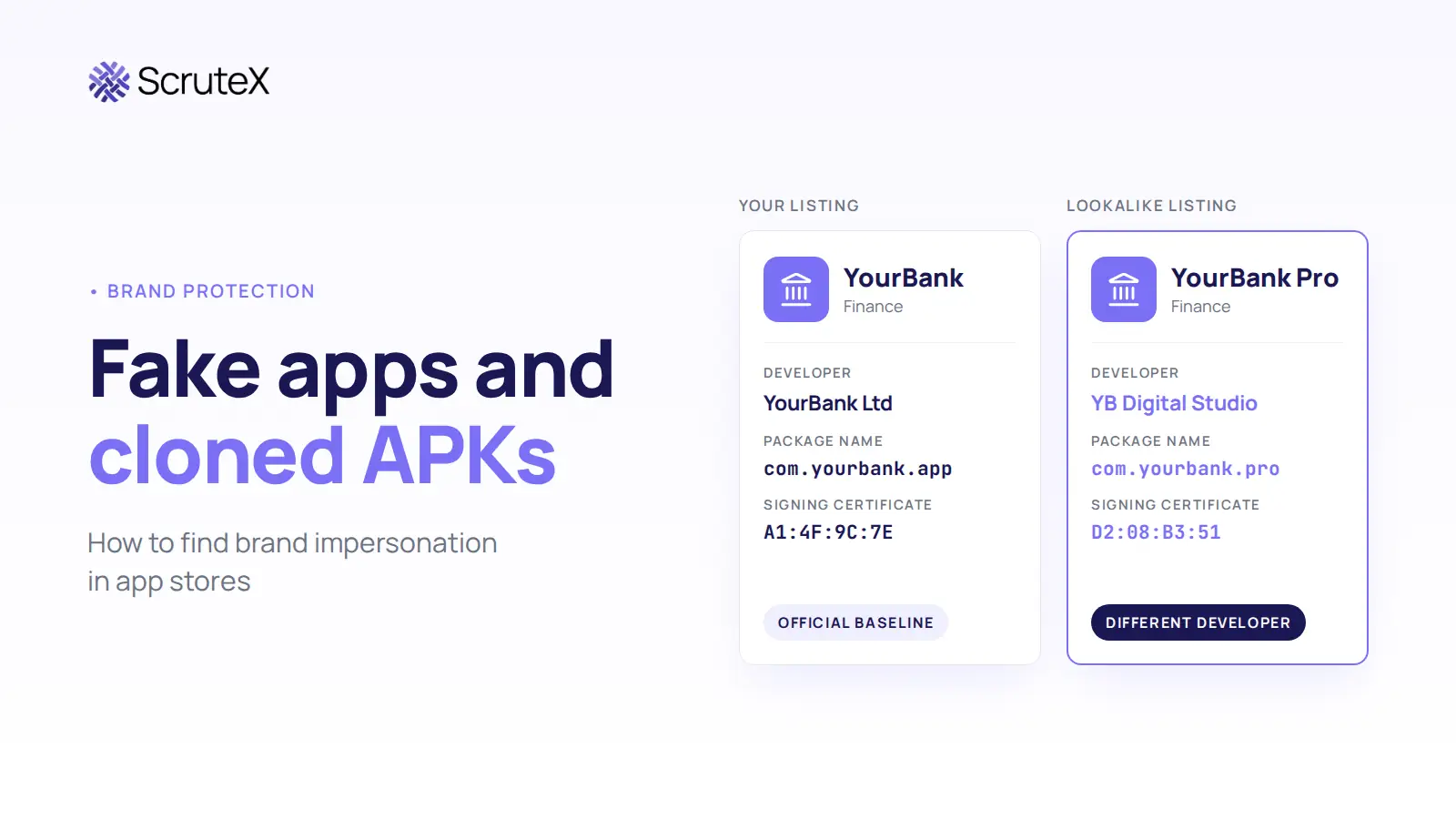
A customer hears about your mobile app, searches for it by name and finds a result carrying your logo. The listing shows your screenshots and your description. A different developer published it. The customer installs it, then enters a username, a password and the one-time code that arrives by SMS. All three go to someone else.
Fake apps like this may never interact with your corporate network, so your SOC may have little or no visibility into the initial exposure. The customer still blames you, and your fraud team still pays for the investigation. It is a customer-security problem and a brand-protection problem at once. Attackers do not always need to compromise an organisation directly. They can abuse the trust attached to its brand.
How do you discover fake apps and cloned APKs impersonating your brand before customers trust them?
Quick Answer: How Do You Find Fake Apps Impersonating Your Brand?
To find fake apps impersonating your brand, build an inventory of your official apps, monitor app stores, APK sites and the wider web for your brand names, then compare each match against that inventory. Developer identity, package name, signing certificate, visuals, permissions and linked domains separate official apps from impostors.
Effective fake app detection combines twelve activities:
- Official application inventory
- App store monitoring
- Brand and keyword monitoring
- Developer identity comparison
- Package and application identity comparison
- Visual similarity checks
- Permission review
- URL and domain analysis
- APK reputation and threat intelligence
- Cross-channel correlation
- Risk scoring
- Continuous monitoring
What Is a Fake Mobile App?
A fake mobile app is an application that presents itself as coming from an organisation that did not publish it. The label covers several different cases, and the differences decide the response.
- Impersonating: claims to be your brand through its name, logo or publisher details.
- Cloned: copies the appearance or code of your real app.
- Fraudulent: built to deceive users into paying money or handing over data.
- Malicious: contains harmful behaviour, such as capturing credentials or reading SMS messages.
- Misleading: borrows brand cues to win installs without claiming to be official.
- Unofficial but legitimate: an independent product that works with your service openly, such as a budgeting tool.
An app can impersonate your brand without containing malware, and an unofficial app can be lawful and useful.
What Are Cloned APKs?
An APK (Android Package Kit) is the file format Android uses to distribute and install apps. In a brand-impersonation context, a cloned APK is an installable file that reproduces the name, icon, interface or code of a legitimate app and comes from someone other than the brand owner. Some clones copy only the surface, usually a login screen. Others reproduce the working app and change what happens to the data users enter.
App store listing vs cloned APK
A fake store listing and a cloned APK need different investigation paths.
| Aspect | App store impersonation | Cloned APK |
|---|---|---|
| Form | Public store listing | Standalone install file |
| Publisher | Developer account shown on the listing | Often unclear until the file is examined |
| Location | Store URL | Download page, file host or message |
| History | Ratings, reviews and update history | Usually no central history |
| Removal route | The store's reporting process | Hosting, registrar or platform abuse channels |
| Comparison | Listing against your baseline | File-level checks: package name, signing certificate, hash |
Google's Android developer verification protections apply from 30 September 2026 to apps installed from participating stores on certified devices in Brazil, Indonesia, Singapore and Thailand, with global expansion planned for 2027. Verification confirms who a developer is. It does not review what an app does, so monitoring for cloned APKs still falls to the brand owner.
Why Do Attackers Create Fake Apps?
A familiar brand persuades users to install software and enter credentials they would otherwise question.
Credential theft
A fake login screen can capture usernames, passwords, one-time passcodes and other authentication information. MITRE ATT&CK for Mobile catalogues the three behaviours involved: matching a legitimate app's name, icon or package name (T1655.001), capturing what a user types into a fake screen (T1417.002) and reading SMS messages that carry one-time codes (T1636.004).
Financial fraud
Banking, fintech, payments, investment and insurance brands can face particularly high impact, because stolen access or financial information may lead directly to fraud. In February 2025, Zimperium reported nearly 900 malware samples posing as Indian bank and government apps, distributed as APK files over WhatsApp, with an estimated 50,000 users exposed.
Malware distribution
Some fraudulent apps carry banking trojans, spyware or remote-access tools.
Customer targeting
A fake app selects its own victims. Everyone who installs it already has, or wants, a relationship with your brand.
Brand abuse
The brand owner may absorb costs without being breached: lost customer trust, reputation damage, complaints, support load, fraud claims and incident response.
Where Do Fake Apps and Cloned APKs Appear?
Official app stores
Google Play and the Apple App Store use automated and human review to detect policy violations, at large volume. Google reports blocking more than 1.75 million policy-violating apps and banning over 80,000 developer accounts in 2025, and Apple reports rejecting more than 371,000 submissions for copying other apps, spam or misleading users. Impersonating listings can still appear before removal. Apple says it removed nearly 59,000 apps in 2025 for turning fraudulent after passing review.
Alternative app stores
Third-party Android stores and regional marketplaces apply uneven review standards.
APK download sites
Standalone APK hosting sits outside store controls. Google says Play Protect identified more than 27 million new malicious apps from outside Google Play in 2025.
Websites and landing pages
Attackers may build a fake download page on a lookalike domain, which ties fake Android apps to typosquatting.
Social media and messaging platforms
Fake brand accounts, adverts, messaging groups and community channels can promote a fraudulent APK. Microsoft documented campaigns that used WhatsApp and Telegram to push apps impersonating Indian banks.
Search engines
Fraudulent download pages may rank for brand queries or appear as adverts above the genuine result.
How Attackers Make Fake Apps Look Legitimate
App name
Exact brand names, minor spelling changes, added words such as "Pro", and misleading qualifiers such as "Official".
App icon
A near-identical logo does much of the persuading before a user reads anything.
Screenshots
Fake listings may reuse genuine screenshots from your own store page.
App description
Attackers may copy official marketing language word for word.
Developer identity
The publisher name is harder to fake convincingly, which makes it a strong investigation signal.
Application identity
Every app carries a package name or bundle ID and a signing certificate. A clone can copy your app's name, icon and interface, but it cannot produce an APK signed with your private signing key unless that key has been compromised, so signing information gives a strong ownership signal. Package names need more care. A different one does not prove malice, because legitimate third-party apps have their own. A matching one does not prove legitimacy, because a file shared outside a store can declare any package name.
Login interface
A familiar sign-in screen makes users comfortable entering credentials.
URLs and contact information
Support emails, privacy links and websites on a fake listing often point away from your official domains.
How Security Teams Can Find Fake Apps Impersonating Their Brand
Step 1: Build the official baseline
Document every official app name, package or bundle identifier, developer account, store listing and signing certificate fingerprint. Add official websites, screenshots, logos and support contacts. Without this record, analysts cannot say what "not ours" means.
Step 2: Monitor app stores
Search each store for brand names, product names, service names, common misspellings and branded keywords. Manual searches do not scale: results differ by country storefront, and a listing can appear and disappear between two checks.
Step 3: Monitor APK and external distribution sources
Watch APK download sites, alternative stores, landing pages and public channels for brand references, suspicious app names, unofficial downloads and cloned applications.
Step 4: Compare identity signals
Compare each match against the baseline: developer or publisher, package or application ID, signing identity, version, official store listing, links, screenshots, description and branding.
Step 5: Review permissions and claimed functionality
Ask whether the requested access makes sense. A loyalty app has little reason to read SMS messages. Check that the functionality matches the stated purpose.
Step 6: Correlate external infrastructure
Review related domains, URLs, hosting, certificates, developer identities, contact details and social accounts.
Step 7: Validate
Do not classify an application as malicious on visual similarity alone. Correlate several signals, check file reputation and mobile threat intelligence, and have qualified analysts examine samples in an isolated environment.
Step 8: Prioritise
Rank confirmed cases by brand similarity, customer exposure, distribution, suspicious behaviour, financial or credential risk, related infrastructure and confidence.
A Practical Fake-App Investigation Framework
| Investigation Signal | What to Check | Why It Matters |
|---|---|---|
| Name | Brand/product similarity | Can create user confusion |
| Icon | Visual similarity | Builds perceived legitimacy |
| Developer | Publisher identity | Helps establish ownership |
| Application identity | Technical identifiers | Helps distinguish applications |
| Website/URLs | Linked domains | May reveal impersonation |
| Screenshots | UI similarity | Can indicate copied branding |
| Description | Text similarity | May indicate copied content |
| Permissions | Requested access | May indicate higher risk |
| Reviews | Review patterns | Provides contextual evidence |
| Infrastructure | Related external assets | Helps correlate a campaign |
No single indicator is conclusive. A matching name with a different developer suggests app impersonation. A mismatched signing certificate and unrelated domains make the case strong.
How to Classify a Suspicious App
| Classification | Meaning | Recommended Action |
|---|---|---|
| Official | Controlled by the organisation | Normal monitoring |
| Legitimate third-party | Independent but legitimate | Validate and document |
| Unofficial | Not controlled by the organisation | Investigate |
| Suspicious | Multiple concerning indicators | Prioritise investigation |
| Impersonating | Presents itself as the organisation | Escalate |
| Malicious | Evidence of malicious behaviour/intent | Treat as high risk |
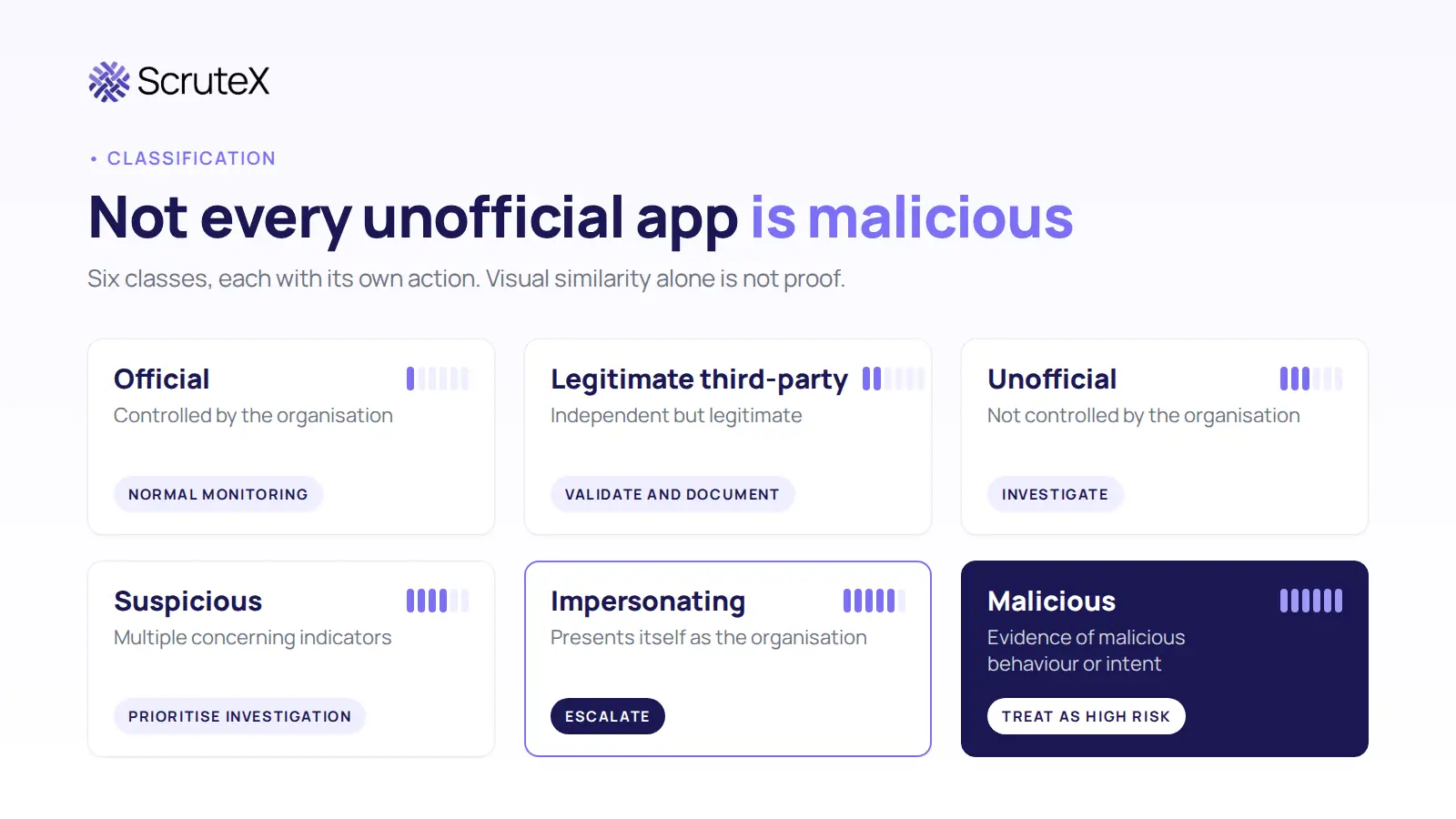
Visual similarity alone is not proof of maliciousness. Keep "suspicious", "impersonating" and "malicious" separate in tickets, because a trademark complaint and a malware report follow different routes.
How to Prioritise Fake-App Threats
Seven factors set the order of work:
- Brand similarity: how closely does the application resemble the official brand?
- Customer exposure: how likely are users to encounter it?
- Distribution: where is it available?
- Functionality: does it involve authentication, payments, financial information or personal information?
- Suspicious behaviour: are there indicators of fraudulent or malicious activity?
- Infrastructure: are there suspicious related domains or URLs?
- Campaign activity: is it connected to a broader impersonation campaign?
| Risk Factor | Low | Medium | High |
|---|---|---|---|
| Brand similarity | Limited | Noticeable | Near-identical |
| Customer exposure | Low | Moderate | High |
| Sensitive functionality | None | Some | Financial/authentication |
| Suspicious indicators | Few | Several | Strong |
| Distribution | Limited | Multiple sources | Broad/repeated |
What Happens If Customers Install a Fake App?
The outcome depends on what the app does. Possible consequences include:
- credential theft
- account takeover
- financial fraud
- malware exposure
- privacy loss
- customer support incidents
- brand reputation damage
Not every fake app causes all of these.
What Should Organisations Do After Finding a Fake App?
Discover → Validate → Assess → Document → Escalate → Disrupt → Monitor
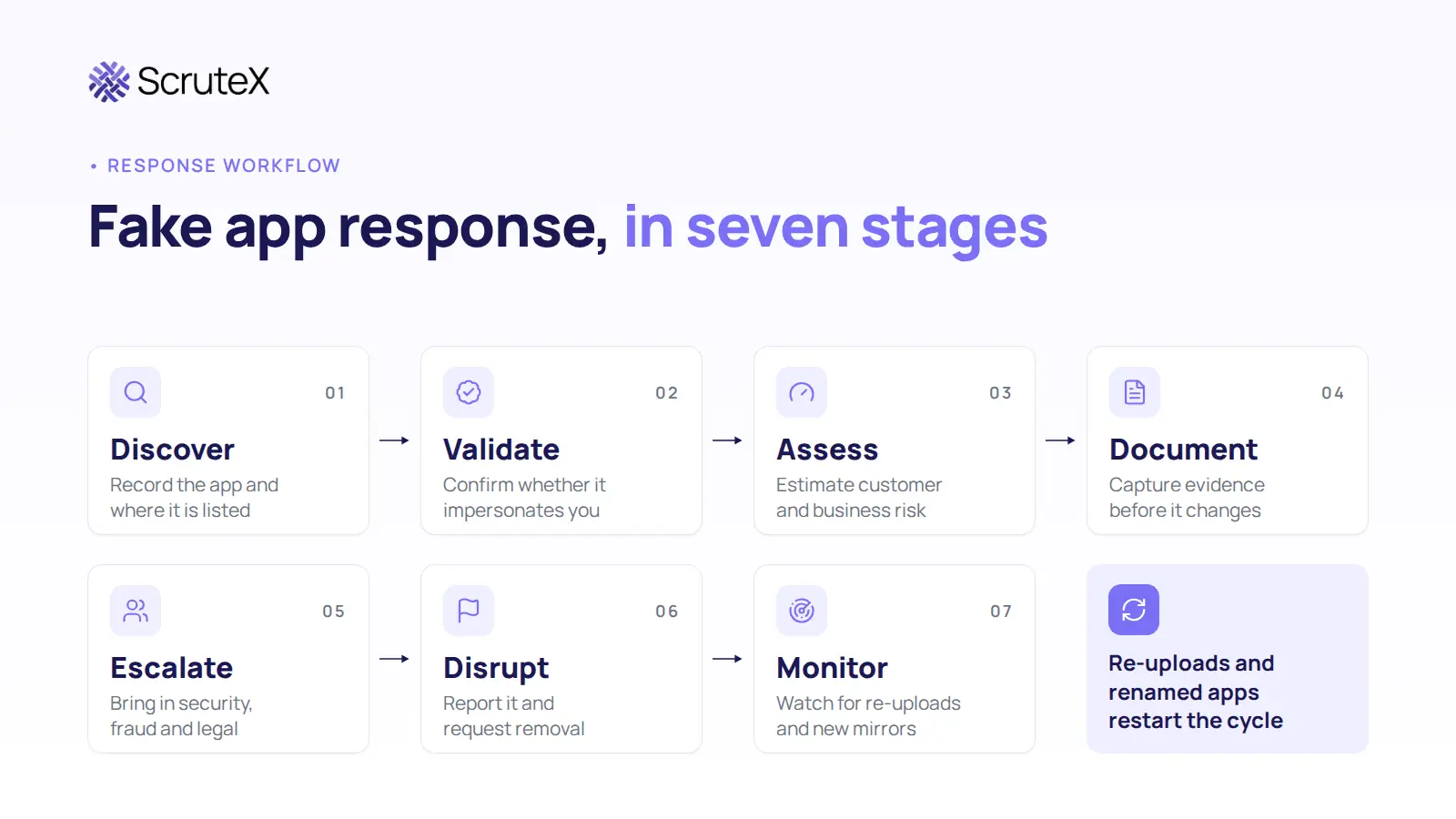
Discover
Record the application, where it is listed and how you found it.
Validate
Confirm whether it impersonates the organisation, using the classification above.
Assess
Estimate customer and business risk with the prioritisation factors.
Document
Capture evidence before anything changes: listing URLs, screenshots, developer details, identifiers, file hashes and timestamps.
Escalate
Bring in security, fraud, legal, brand-protection and platform-facing teams as the risk warrants. Involve compliance or legal where regulatory or contractual reporting requirements may apply.
Disrupt
Use platform reporting channels, trademark or impersonation complaints, hosting and registrar abuse contacts, or a takedown provider. Outcomes vary by platform and jurisdiction, and nothing here is legal advice.
Monitor
Watch for re-uploads, renamed applications, new developer accounts, new APK mirrors, related domains and new campaigns.
Fake-App Monitoring Cannot Be a One-Time Search
Attackers can change app names, icons, developer identities, distribution channels, APK locations, domains and supporting infrastructure faster than a quarterly review can follow. A removed listing may return under a new publisher. Ongoing app store monitoring catches the reappearance.
Fake Apps Are Part of a Larger Digital-Risk Problem
Fake App → Domain → Fake Login Page → Social Account → Credential Theft → Customer Fraud
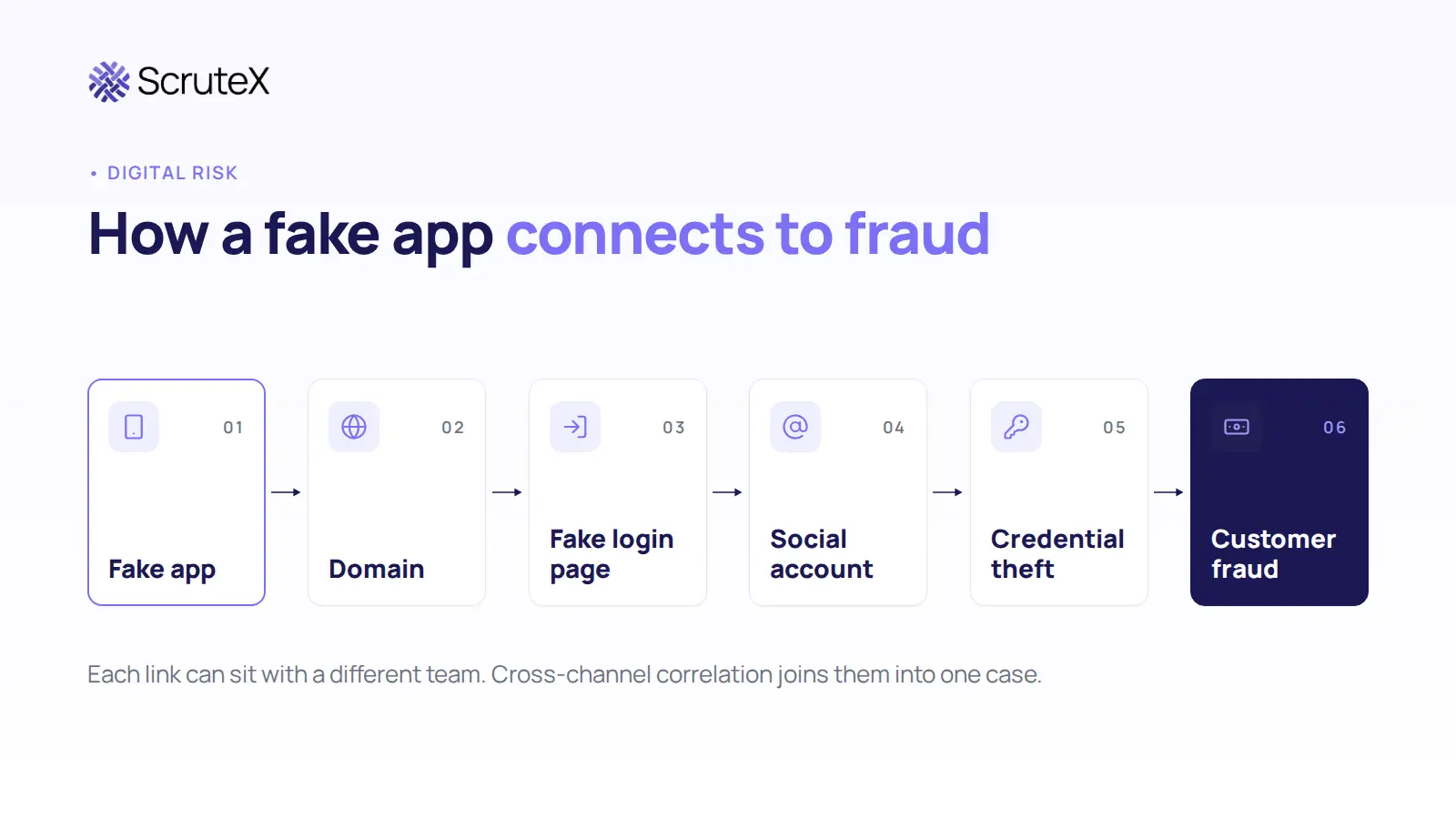
Each link may sit with a different team. AppSec owns the app, the SOC watches domains, marketing notices the social account and fraud sees the losses. Cross-channel correlation joins those observations into one case.
Cyber threat intelligence identifies the campaign. Digital risk protection watches the channels where the brand is abused. Brand protection handles enforcement. External attack surface management maintains the inventory of what is yours.
Dedicated mobile application security vendors analyse app behaviour in more depth and suit organisations with a mobile security function. A connected external view suits teams that need the app, the domain and the social account in one queue.
Self-Assessment: Could You Spot a Fake App Using Your Brand?
Answer these from your own records:
- Can you list every official app, package name and developer account you own, including apps built by agencies or regional teams?
- Could an analyst compare your release signing certificate with a suspect APK today?
- Does anyone check APK sites, messaging channels and search adverts for your brand, or only the two main stores?
- If an impersonating app appeared tomorrow, who files the report, with what evidence, and who tells customers?
Any answer of "no" or "not sure" means customers may find a fake app before you do.
How ScruteX Supports Fake-App Detection
ScruteX scans the Apple App Store, Google Play and third-party app stores for applications that use your brand name, logo or visual identity, including apps with slightly altered branding. It assesses each detected app for capabilities such as data harvesting, credential theft or malware distribution. The same platform tracks lookalike domains and fake social profiles, so analysts can connect a fake app to the domain and account promoting it, and it supplies evidence for takedown requests.
ScruteX sees only what is externally observable. A privately shared APK stays invisible until someone hosts or posts it publicly, and takedown is coordinated, not guaranteed.
Are apps already using your name and logo?
Run the free brand impersonation scan on your domain. Free tier, no credit card.
- If impersonation is your main concern: Brand Insights covers rogue apps, lookalike domains and fake social profiles together.
- Related: Rogue Mobile App Detection covers monitoring at scale. How to Detect Brand Impersonation covers the wider problem.
Frequently Asked Questions
How do you check whether an APK is a clone of your app?
Compare its package name, signing certificate, version and file hash with your official release. A certificate that does not match yours shows the file is unofficial. Further analysis decides whether it is malicious.
What is the difference between a fake app and a cloned APK?
A fake app is any application that falsely presents itself as a brand's product. A cloned APK is an Android install file that copies a legitimate app's look or code and often circulates outside official stores.
How often should organisations check for brand impersonation in app stores?
Continuously. Listings, developer accounts and download locations change quickly, so a quarterly manual search leaves long gaps.
What evidence should you collect before reporting a fake app?
Capture the listing or download URL, screenshots, developer details, package name, signing information, file hash and the date you found it. Collect it before you report, because listings can change or disappear.
How often should organisations check for brand impersonation in app stores?
Continuously. Listings, developer accounts and download locations change quickly, so a quarterly manual search leaves long gaps.
Conclusion and Key Takeaways
Finding an app that copies your logo is the first step. The objective is to identify which applications abuse your brand, determine the risk they create for customers and respond before the campaign scales. That takes four things:
- A known baseline of official apps, developer accounts and signing certificates.
- Continuous external monitoring of stores, APK sources and promotion channels.
- Evidence-based validation that keeps suspicious, impersonating and malicious apart.
- A repeatable response process that keeps watching after a takedown.