Found your company in a stealer log? The first 24 hours
By ScruteXPublished
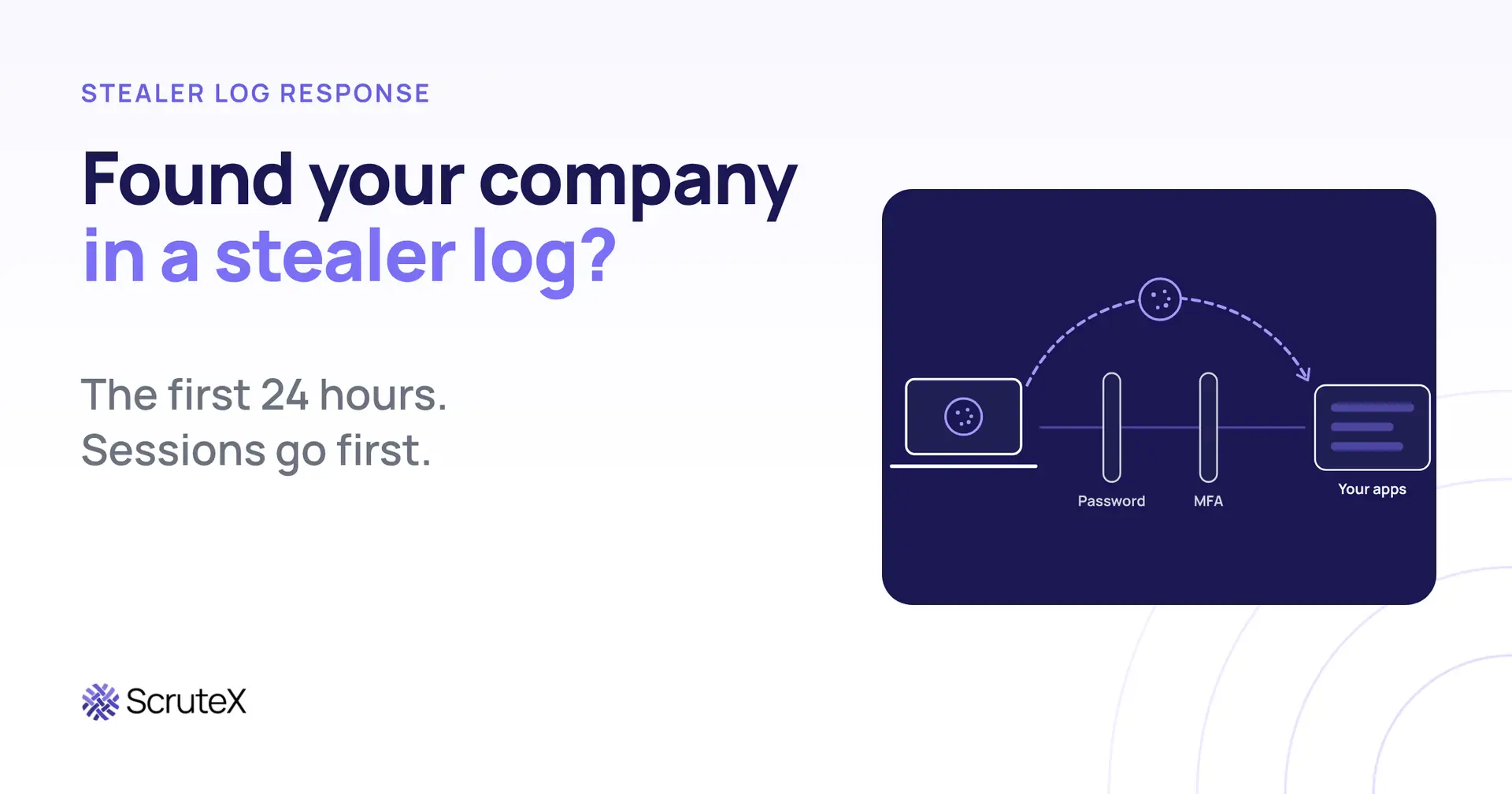
An alert says one of your employees appears in a stealer log. The instinct is to reset their password and close the ticket. That instinct is the most common mistake in infostealer response, because the log almost always contains something a password reset does not touch: live session cookies.
This playbook sets out the six steps that work, in the order that works, with a target window for each. Resetting the password is step four. Sessions go first.
What is a stealer log?
A stealer log is the bundle of data that infostealer malware takes from a single infected machine and sends to the attacker. It typically holds saved browser passwords, session cookies, autofill data, and system details such as the machine name, user, operating system, IP address and infection date. Logs are then sold or shared on criminal markets and channels.
Because each log comes from one device, it reflects that user's live access at the moment of infection. That is what makes it more dangerous than an old breached password.
The first 24 hours, in order:
- Confirm the log date and machine context (H+0 to H+1).
- Revoke active sessions and tokens (H+1 to H+2).
- List the SaaS apps the stolen cookies cover (H+2 to H+4).
- Reset credentials and re-enrol MFA (H+4 to H+6).
- Reimage or retire the device (H+6 to H+12).
- Hunt for logins replaying the cookies (H+12 to H+24).
The hour windows are targets for a team that has prepared, not measured benchmarks. Set your own in your runbook.
Why does a password reset not stop a stealer log?
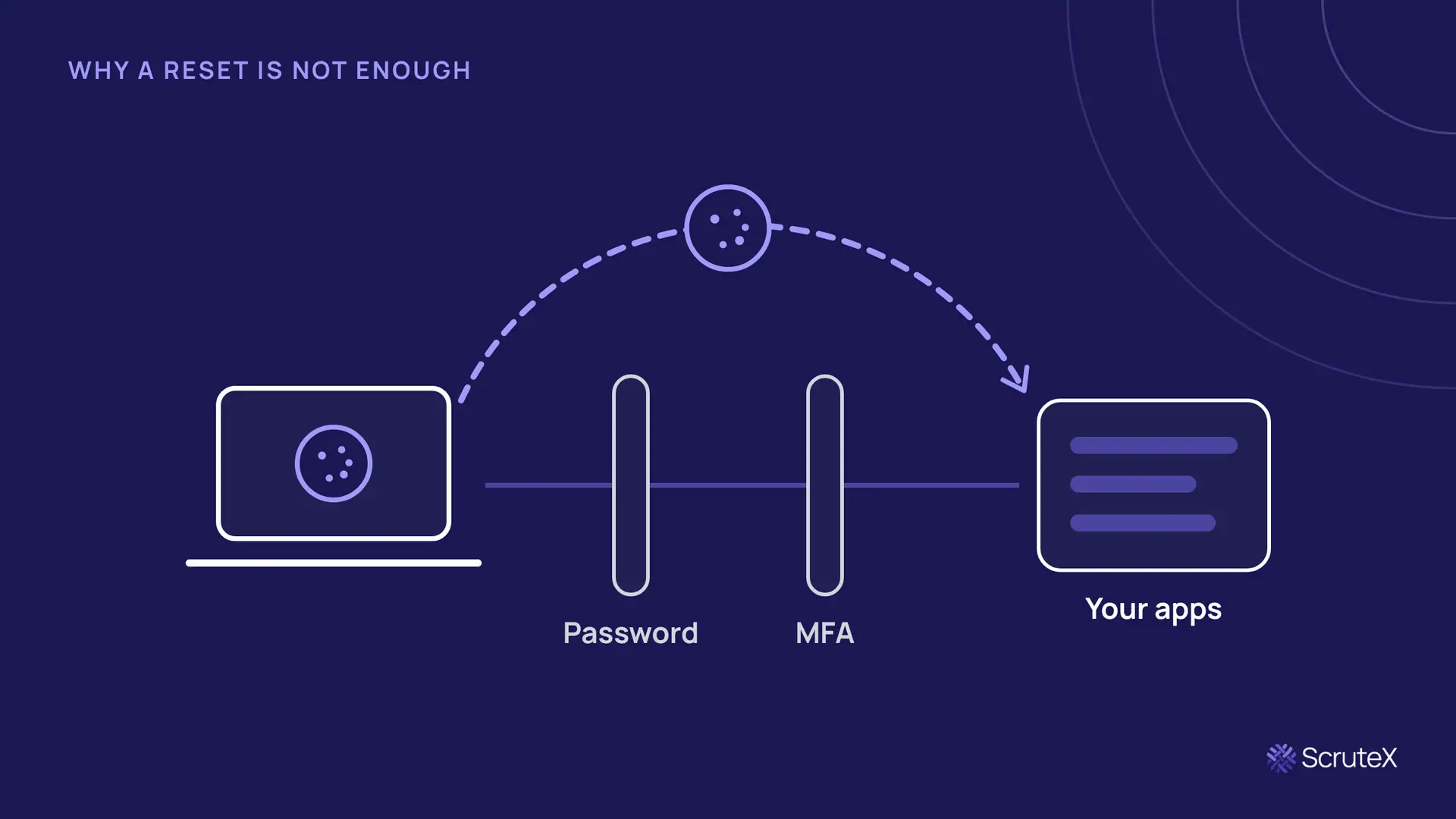
A password reset does not stop a stealer log because the attacker does not need the password once they hold a valid session cookie. A session cookie is the token a web application issues after a successful login, including the MFA step. Whoever presents it is treated as the logged-in user until the session expires or is revoked.
MITRE ATT&CK describes the theft as T1539, Steal Web Session Cookie, and the reuse as T1550.004, Use Alternate Authentication Material: Web Session Cookie. The saved passwords in the same log map to T1555.003, Credentials from Password Stores: Credentials from Web Browsers.
The order of events in a typical case explains the mistake. The employee logs in on Monday and completes MFA. The infostealer runs on Tuesday and copies the browser's cookie store. The log is sold days or weeks later. When your team finds it and resets the password, the attacker's copy of the cookie is still valid in any application that does not revoke existing sessions on a password change. Many do not, and the ones that do often leave refresh tokens and OAuth grants in place.
There is a second reason to revoke first. A live session lets the attacker act as the user: register their own MFA method, add a mailbox forwarding rule, or consent to an OAuth application. If they still hold a session while you reset the password, they can watch the reset happen and keep the foothold they built. Revoking first closes that door before you start changing credentials.
How is a stealer log different from a breach corpus?
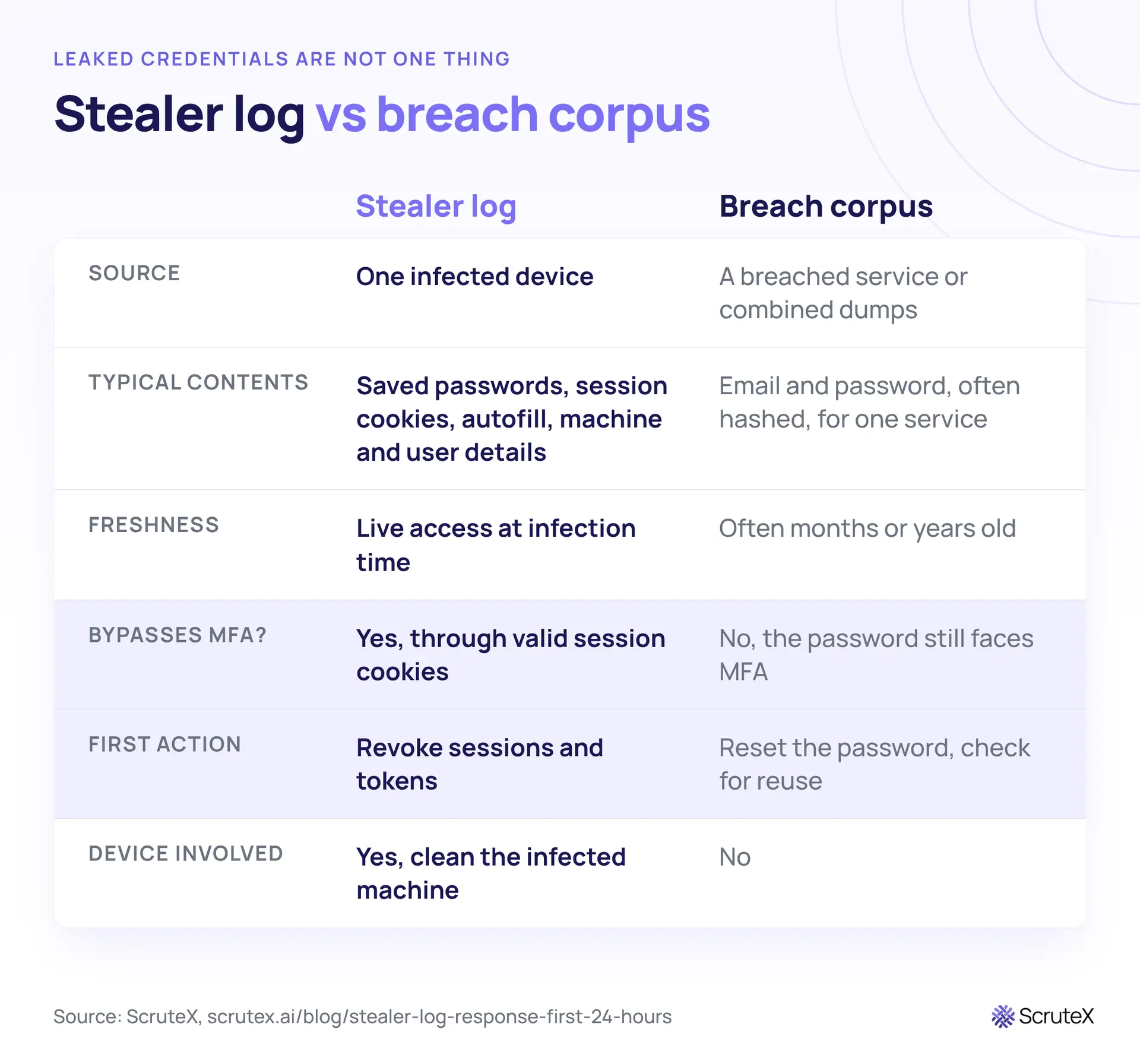
The two are often reported together as "leaked credentials", but they need different responses. Treating a stealer log like a breach corpus is how teams end up resetting a password and leaving the session open.
Step 1 (H+0 to H+1): Confirm the log date and machine context
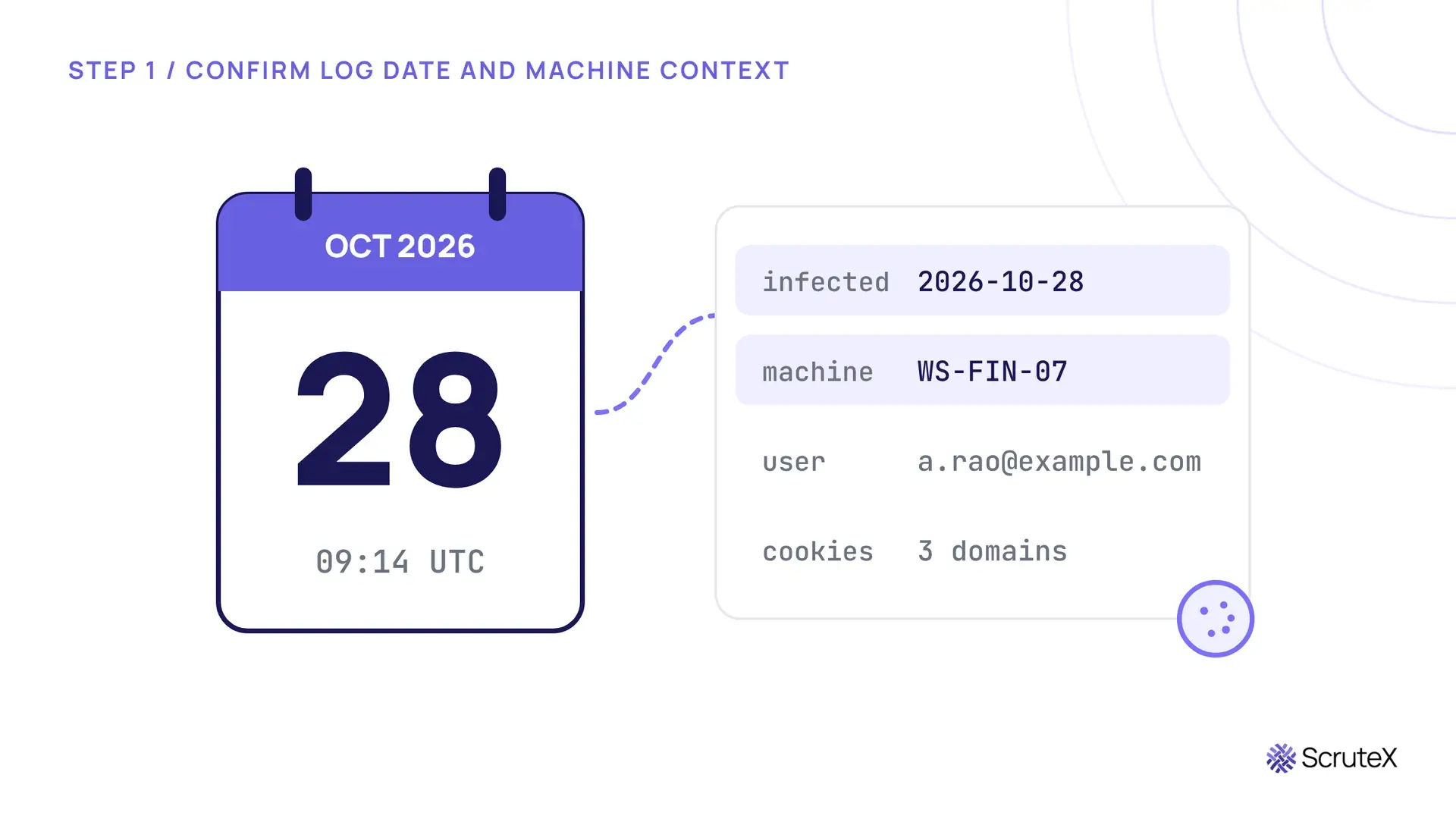
The first hour is for scoping, not changing anything. Read the log record and extract five facts:
- Infection date and time. This, not the alert date, is the start of your hunt window in step 6. Logs are frequently resold, so the gap between infection and discovery can be weeks.
- Machine name and operating system. These tell you whether the device is managed.
- User and email addresses present. A log can contain several work identities and personal ones.
- Cookie domains. Every domain with a session cookie is an application the attacker may be able to enter. This list feeds step 3.
- Saved credential domains. These feed step 4.
Then answer one question: is this a company device or a personal one? A contractor's laptop or an employee's home computer with a synced work browser profile is a common source, and it changes step 5 completely.
If the infection date is old, do not close the case on age alone. Refresh tokens and long-lived sessions can outlast the cookie the log captured.
Step 2 (H+1 to H+2): Revoke active sessions and tokens
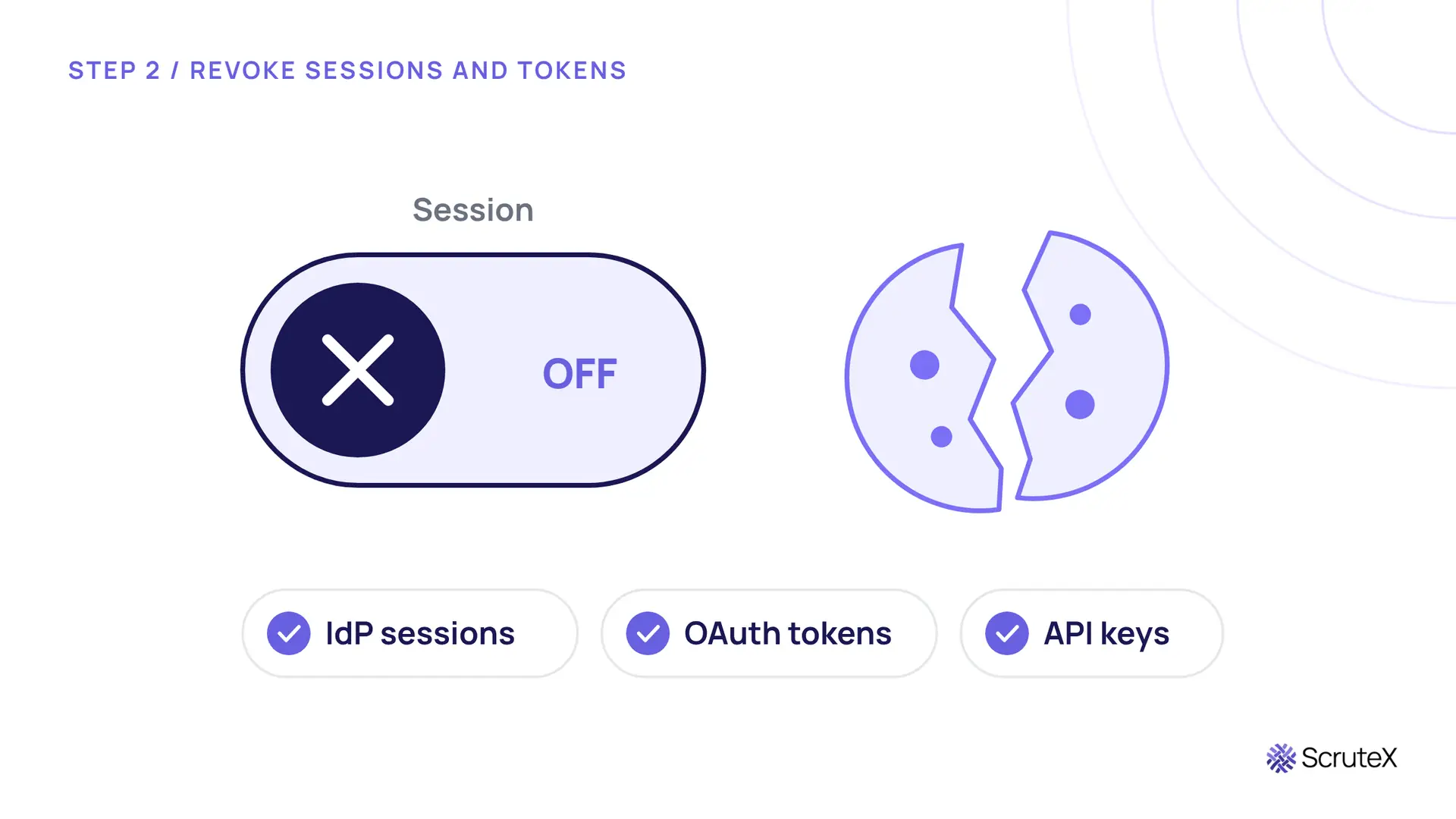
Revoke everything the stolen material could still use, before any password changes:
- Identity provider sign-in sessions. In Microsoft Entra ID this is the Revoke sessions action on the user. Okta and Google Workspace offer equivalent controls to clear or sign out a user's sessions. Check your provider's documentation for exactly what each action covers.
- Refresh tokens and OAuth grants. Review third-party apps the user has consented to, and remove any the user does not recognise.
- API keys, personal access tokens and app passwords. Developer tools, code repositories and legacy mail clients often authenticate this way and ignore session revocation entirely.
While the account is frozen, look for changes the attacker may already have made: new MFA methods, mailbox forwarding or deletion rules, new OAuth consents and recovery email or phone changes. Note them now. You will remove them in step 4, and they are evidence for step 6.
Done when no session issued before the revocation still works.
Step 3 (H+2 to H+4): List the SaaS apps the cookies cover
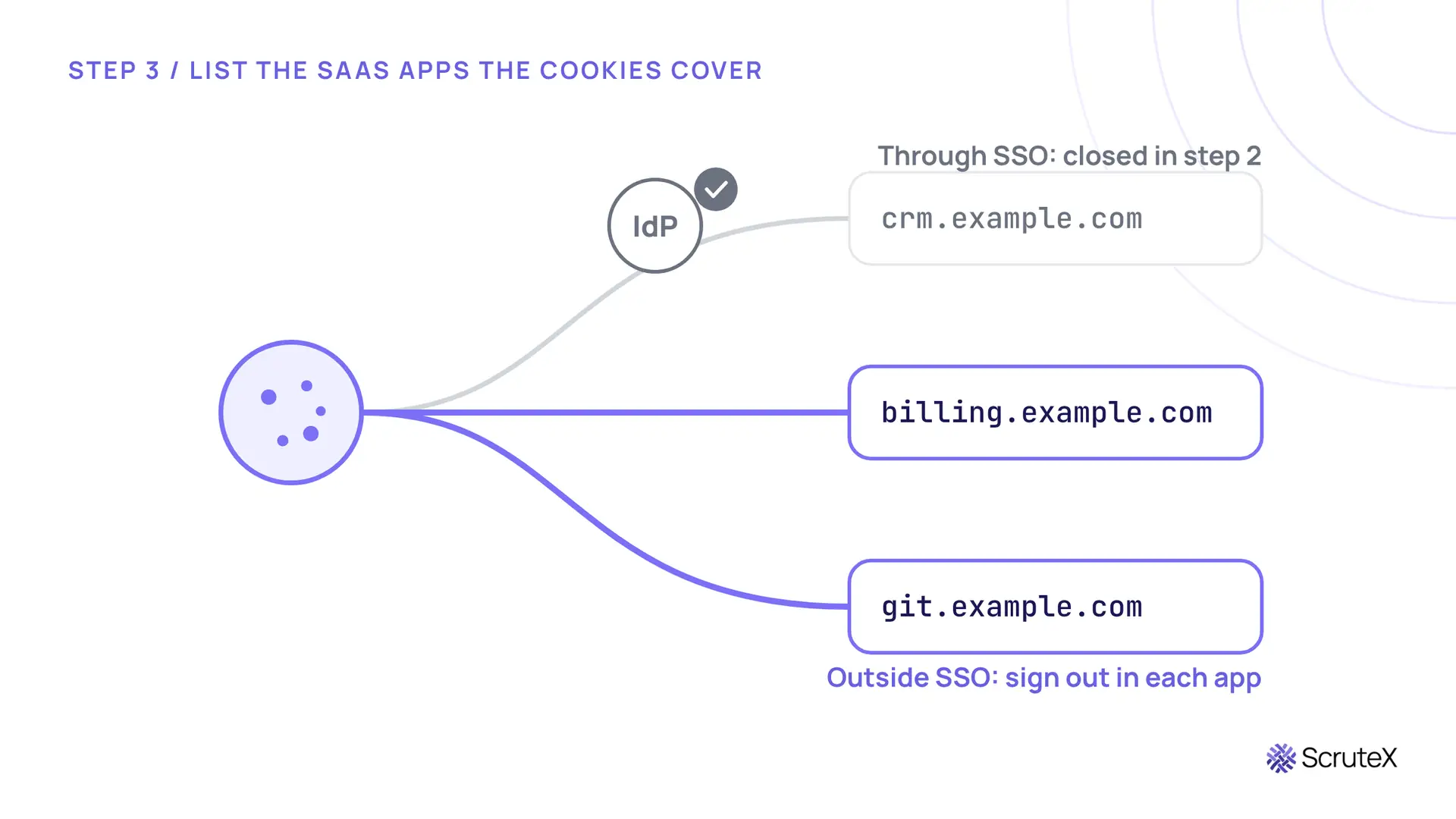
Revoking at the identity provider closes every app that relies on it for sessions. It does not close apps that keep their own. Take the cookie domains from step 1 and sort them:
| Cookie domain (illustrative) | Behind SSO? | Action |
|---|---|---|
| crm.example.com | Yes | Covered by step 2 |
| billing.example.com | No | Sign out all sessions in the app |
| git.example.com | No | Revoke tokens and rotate keys |
| helpdesk.example.org | No | Sign out all sessions in the app |
Apps outside SSO are where stealer logs do their quiet damage: a billing portal with a local login, a support tool someone signed up for with a work email, a code host using personal access tokens. Each needs its own sign-out, and each needs an owner who can do it today.
Done when every cookie domain has an owner and a confirmed sign-out.
Step 4 (H+4 to H+6): Reset credentials and re-enrol MFA
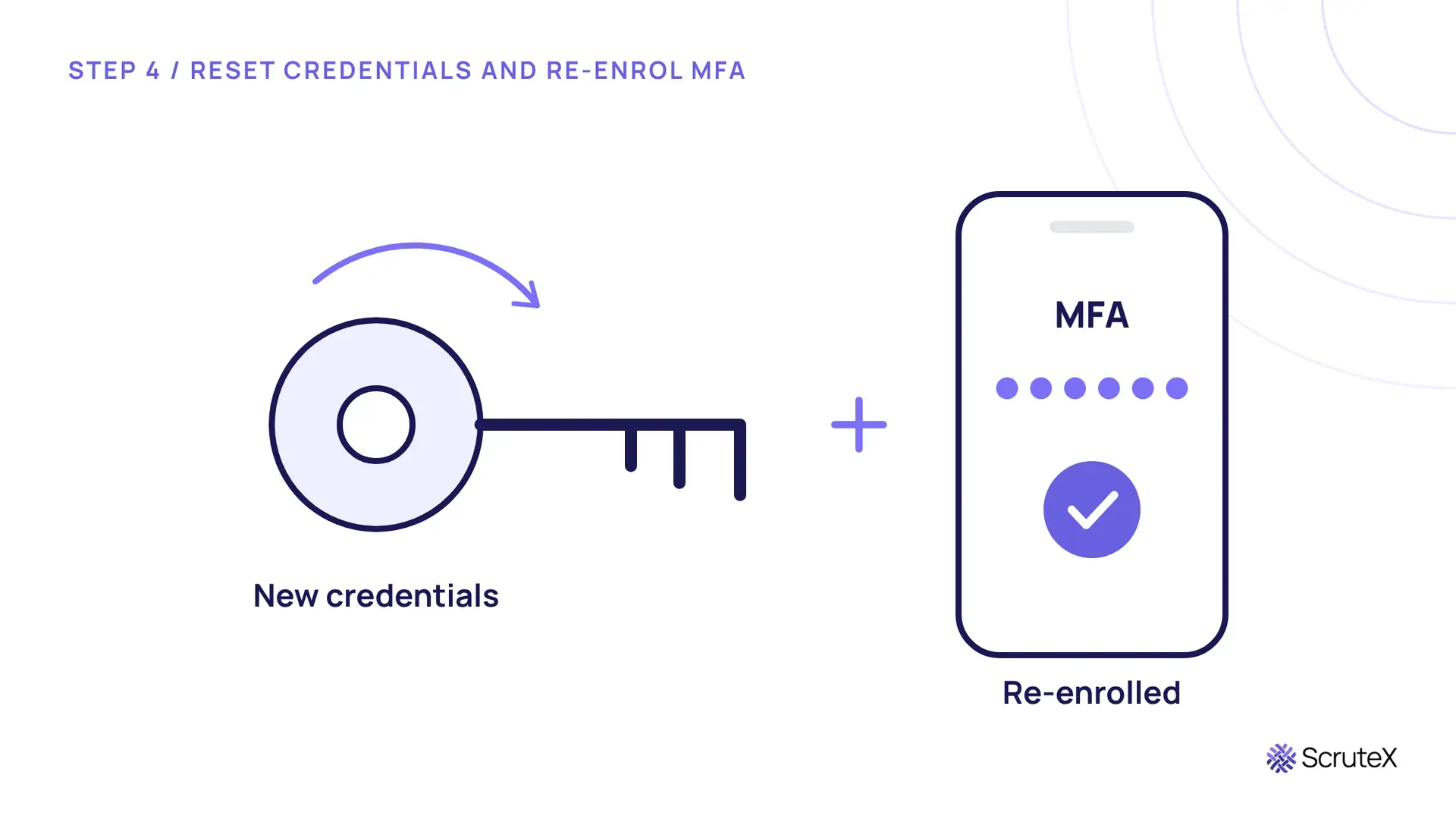
Now reset. With sessions gone, a new password actually ends the attacker's access instead of running alongside it.
- Reset every credential in the log that belongs to the organisation, not only the primary account.
- Tell the user which personal accounts appeared. Reused passwords between personal and work accounts are how a home infection becomes a company incident.
- Remove any MFA methods the attacker registered (from step 2), then re-enrol the user's own.
- Re-enrol MFA from scratch if TOTP seeds, authenticator browser extensions or backup codes lived on the infected machine. Those secrets may be in the log too.
Done when every credential in the log is reset and MFA is re-enrolled where it was exposed.
Step 5 (H+6 to H+12): Reimage or retire the device
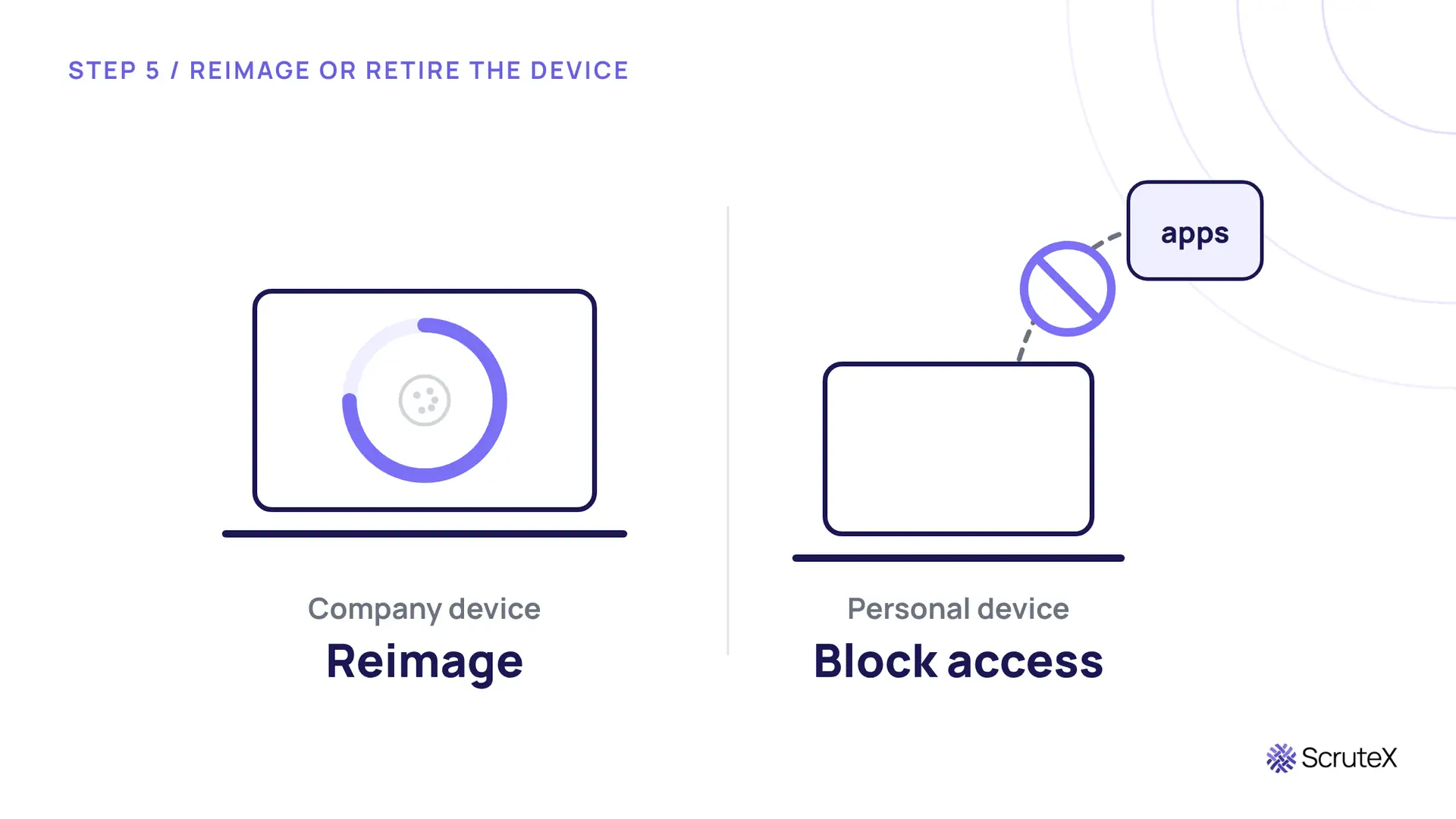
The stealer may still be on the machine, and some infostealer infections arrive alongside other malware. Until the device is clean, any new credential typed on it can be stolen again.
- Company device: isolate it with your endpoint tooling, collect a triage image if your process requires evidence, then reimage from a known-good build before it reconnects.
- Personal or contractor device: you usually cannot reimage it. Block it from company applications through your device compliance or conditional access policies until it is wiped or replaced, and require the user to clean it before access returns.
Done when the machine is clean, or it can no longer reach company apps.
Step 6 (H+12 to H+24): Hunt for logins replaying the cookies
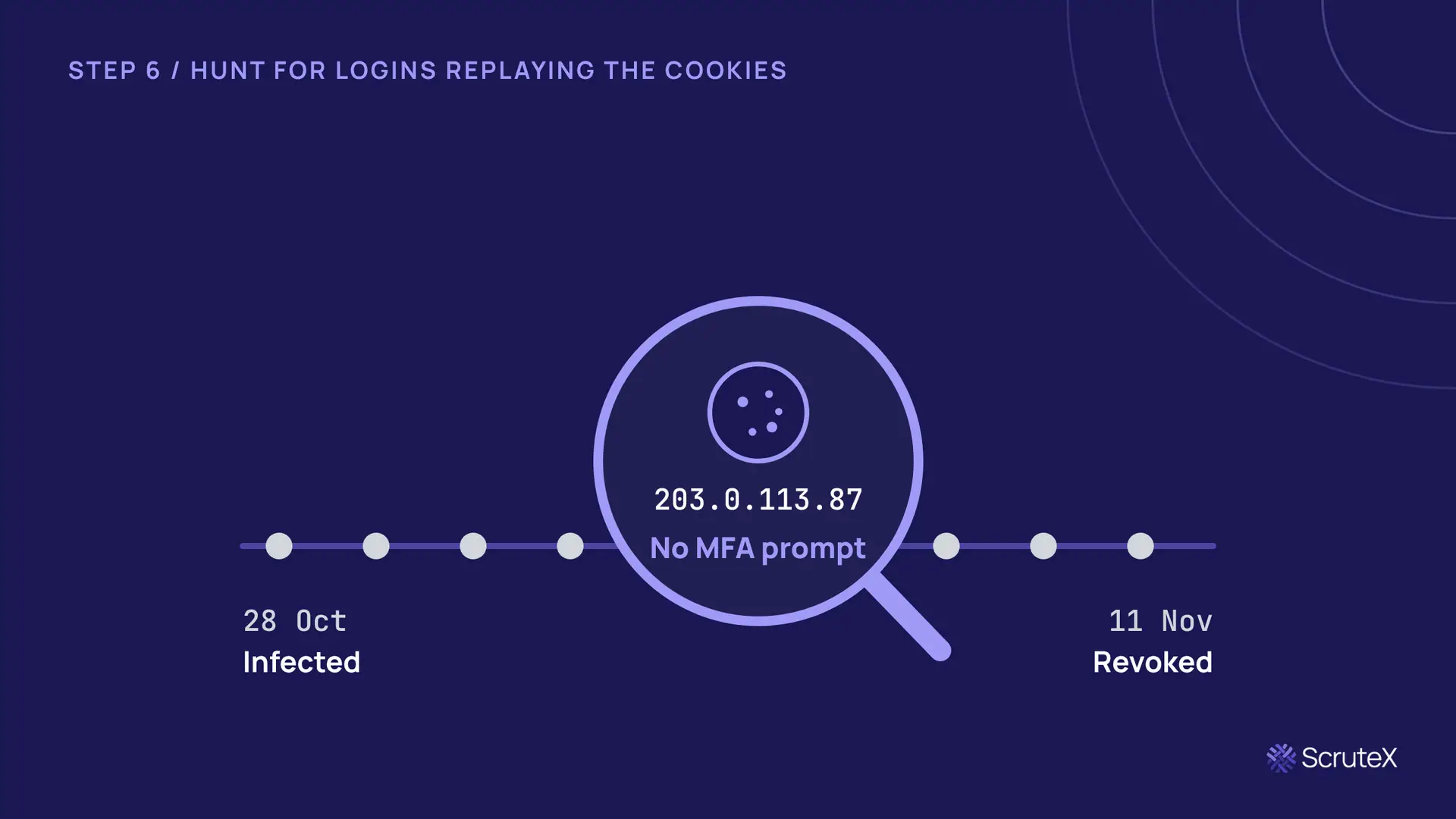
The hunt window runs from the infection date in step 1 to the revocation in step 2. In the carousel example that is 28 Oct to 11 Nov: two weeks in which a stolen session could have been used.
Look in identity provider and application audit logs for:
- Sign-ins that reused an existing session with no fresh MFA prompt.
- New IP addresses, networks (ASNs) or countries for that user.
- User agents or device identifiers that do not match the user's known devices.
- Bulk file downloads, mailbox rule changes, new OAuth consents or new API keys during the window.
Every session in the window should end the hunt either explained (the user, on a known device) or escalated as a confirmed compromise, with its own incident scope.
Done when every session in the window is explained or escalated.
What should you prepare before the next stealer log?
The six steps fit inside 24 hours only if four things exist before the alert arrives:
- A session-revoke runbook for your identity provider and your top SaaS apps, with the exact action names and who holds the permission.
- A list of apps outside SSO, each with a named owner who can sign out all sessions.
- A reimage path and a block path, so personal and contractor devices have a defined route as well as company ones.
- Sign-in logs retained long enough to cover a hunt window that may start weeks before discovery.
A one-hour tabletop exercise against these four items will surface most gaps. Run it with the identity team in the room, since most of the actions in steps 2 and 4 sit with them.
Which regulatory clocks start at the same time?
A confirmed session replay may be a reportable incident. Check with your legal and privacy teams early, because some clocks are short:
- India: CERT-In's April 2022 directions require certain cyber incidents, including unauthorised access to IT systems or data, to be reported within six hours of noticing them.
- Australia: APRA-regulated entities must notify APRA of a material information security incident under CPS 234 within 72 hours of becoming aware of it. The Notifiable Data Breaches scheme also applies where personal information is involved.
Whether a stealer log match qualifies depends on what step 6 finds. Record your reasoning either way.
Key takeaways
- A stealer log holds live session cookies, so it can bypass passwords and MFA. A breach corpus usually does not.
- Revoke sessions and tokens before resetting passwords, or the attacker keeps access while you reset.
- Apps outside SSO keep their own sessions and need their own sign-out.
- The infection date, not the alert date, starts the hunt window.
- Personal and contractor devices need a block path, because you cannot reimage them.
Are your sessions already out there?
- Do you know which corporate email addresses appear in stealer logs from the last 90 days? Stealer logs, not breach corpora. They are different datasets.
- Do any staff or contractors use a work browser profile on a personal device you do not manage?
- The last time you responded to a leaked credential, did you revoke sessions, or only reset the password?
- Could you list, today, every app your staff log into that sits outside SSO?
What ScruteX finds here
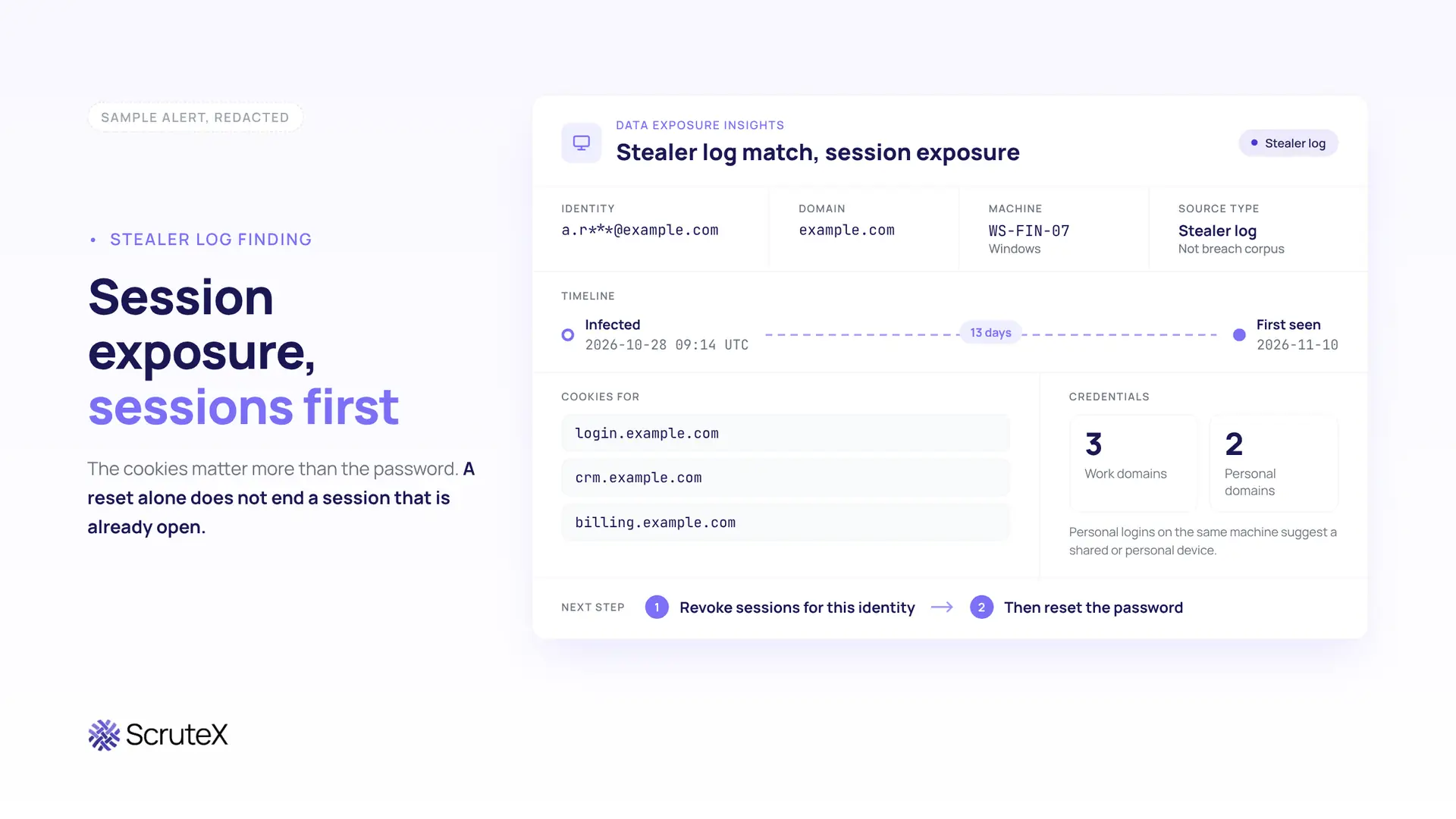
ScruteX matches your domains against stealer logs separately from breach corpora, so a log that carries session cookies is flagged as a session exposure, not filed as another old password. It flags exposed sessions and leaked credentials tied to your domains and staff, across dark web markets, paste sites and the Telegram channels where logs are traded. Each finding carries the details step 1 needs, so your team starts with scope instead of searching for it.
Measured across a 12-month deployment at an ASX-listed financial services client, median credential exposure detection with ScruteX was 1.8 days, down from 26. Every day of that gap is a day a stolen session can be used before anyone knows to revoke it.
What that looks like
Illustrative example. Values use reserved example ranges.
Is your domain in a stealer log?
Check whether your domain appears in stealer logs, and whether any of those logs carry session cookies. Domain only. Agentless. External view only.
ScruteX sees a stealer log once it reaches the markets, paste sites and channels it monitors. It does not see the infected machine, cannot confirm whether a stolen cookie is still valid inside your applications, and has no visibility into private, invite-only infrastructure.
If leaked credentials and sessions are your problem: Data Exposure Insights, which covers stealer logs, paste sites and breach corpora for your domains.
If the infected machine belonged to a contractor or vendor: Vendor Insights, which tracks exposure across the third parties who hold access to your systems.
Related: Leaked credentials on the dark web: what happens after a breach · Session hijacking explained: how stolen cookies bypass MFA
FAQ
What is a stealer log?
A stealer log is the data infostealer malware takes from one infected computer: saved browser passwords, session cookies, autofill data and system details such as machine name, user and infection date. Attackers sell or share these logs on criminal markets and channels.
Can a stolen session cookie bypass MFA?
Yes. A session cookie is issued after the user completes MFA, so whoever presents a valid copy is treated as already authenticated. MITRE ATT&CK tracks this as T1550.004, Use Alternate Authentication Material: Web Session Cookie.
Is resetting the password enough after a stealer log?
No. Many applications keep existing sessions, refresh tokens and OAuth grants valid after a password change. Revoke sessions and tokens first, then reset the password and re-enrol MFA.
How far back should you hunt after a stealer log?
Start from the infection date recorded in the log, not the date you found it, and continue to the moment you revoked sessions. Logs are often resold weeks after infection, so the window can be long.
What if the infected device is personal?
You usually cannot reimage a personal or contractor device. Block it from company applications through device compliance or conditional access until it is wiped or replaced, and reset everything it held.